
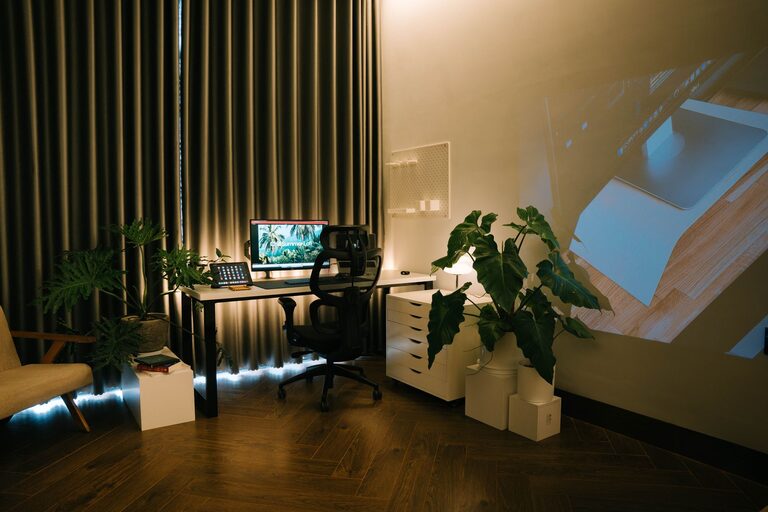
Creating a relaxing home workspace is essential for maintaining focus and reducing stress while working from home. Whether you spend a few hours a day or full-time in your home office, having a well-designed area can make a big difference in your comfort and productivity. In this post, we’ll walk you through practical steps to build a workspace that feels calm, inviting, and efficient.
Why a Relaxing Workspace Matters
A cluttered or noisy workspace can lead to distractions and burnout. On the other hand, a thoughtfully arranged space helps you stay organized and keeps your mind clear. When you feel relaxed in your environment, it’s easier to concentrate, make better decisions, and enjoy your workday more.
Choosing the Right Location
Start by selecting a spot in your home that suits your work needs.
Consider Natural Light
Try to pick a place near a window for plenty of natural light. Sunlight can boost your mood and energy levels. If natural light is limited, use soft, adjustable lighting to reduce eye strain.
Minimize Noise and Distractions
Choose a quiet corner away from busy areas like the kitchen or living room. If complete silence isn’t possible, consider noise-canceling headphones or a white noise machine.
Setting Up Your Furniture
Comfortable, ergonomic furniture is key to a relaxing workspace.
Invest in a Good Chair
A supportive chair helps prevent back and neck pain. Look for adjustable height, lumbar support, and breathable fabric.
Desk Height and Size
Make sure your desk is the right height to keep your arms at a 90-degree angle while typing. Choose a desk with enough space for your computer, writing materials, and any accessories you need.
Add a Footrest
If your feet don’t rest flat on the floor, a footrest can improve posture and comfort.
Organizing for Calm and Efficiency
Clutter can be a major source of stress. Keep your workspace tidy and organized.
Use Storage Solutions
Use shelves, drawers, or bins to store supplies and paperwork. Label containers for easy access.
Keep Only Essentials on Your Desk
Limit your desktop to items you use daily to avoid visual noise.
Manage Cables
Use cable clips or sleeves to keep wires neat and out of sight.
Personalizing Your Space
Adding personal touches can make your workspace feel welcoming and soothing.
Choose Calming Colors
Soft blues, greens, or neutrals can create a peaceful atmosphere.
Add Plants
Indoor plants improve air quality and add a natural element that promotes relaxation.
Display Inspiring Items
Photos, artwork, or motivational quotes can boost your mood without cluttering your desk.
Incorporating Comfort and Well-being
Your workspace should support both productivity and self-care.
Take Regular Breaks
Set reminders to stand, stretch, or walk around throughout the day.
Include a Water Bottle or Tea Station
Staying hydrated helps concentration and health.
Use Aromatherapy
A subtle scent from essential oils or candles can create a calming environment.
Technology Tips
Using technology wisely can improve your experience.
Choose the Right Equipment
Invest in a monitor with adjustable height or a laptop stand to avoid neck strain.
Manage Notifications
Turn off non-essential notifications to stay focused.
Keep Software Organized
Use apps and tools to manage tasks and deadlines efficiently.
Final Thoughts
Creating a relaxing home workspace takes some planning but is well worth the effort. By choosing the right spot, organizing thoughtfully, and adding personal comforts, you can build a space that helps you feel calm and productive every day. Start small and adjust as needed—your perfect workspace is one that fits your unique needs and style.